

Social Media


Get started from a personalized demo.
Contact Us
Product Updates – August 2026 🍉
🔷🔷🔷🔷🔷🔷🔷🔷🔷🔷🔷🔷🔷🔷🔷🔷
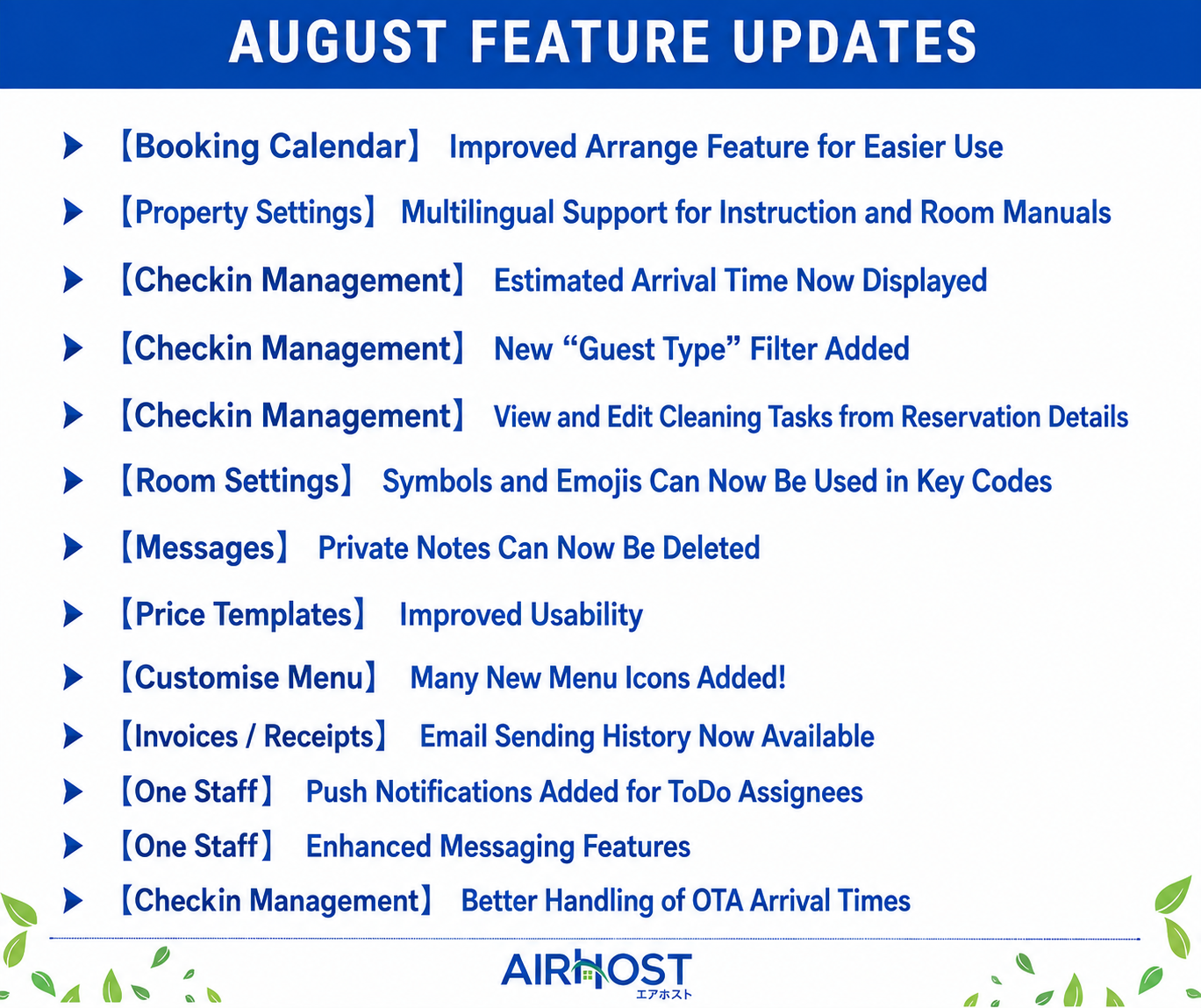
【Booking Calendar】Improved Arrange Feature for Easier Use
We’ve made several improvements to the Arrange feature in the Booking Calendar to make room assignments smoother and more convenient.
🔶 Improved Positioning of the Arrange Box
Previously, the Arrange box could sometimes cover room names while using the Arrange feature. The box is now displayed on the right side, allowing you to check room names while making adjustments.
🔶 Arrange Reservations Across Different Room Types
Previously, reservations could only be arranged within the same room type. You can now assign reservations to rooms of a different room type as well.
※ This feature must be enabled in Environment Settings before use.
🔶 Arrange Reservations Even When Room Types or Inventory Are Hidden
Previously, the Arrange feature could not be used when room types or inventory were hidden. You can now use the Arrange feature even when they are hidden.
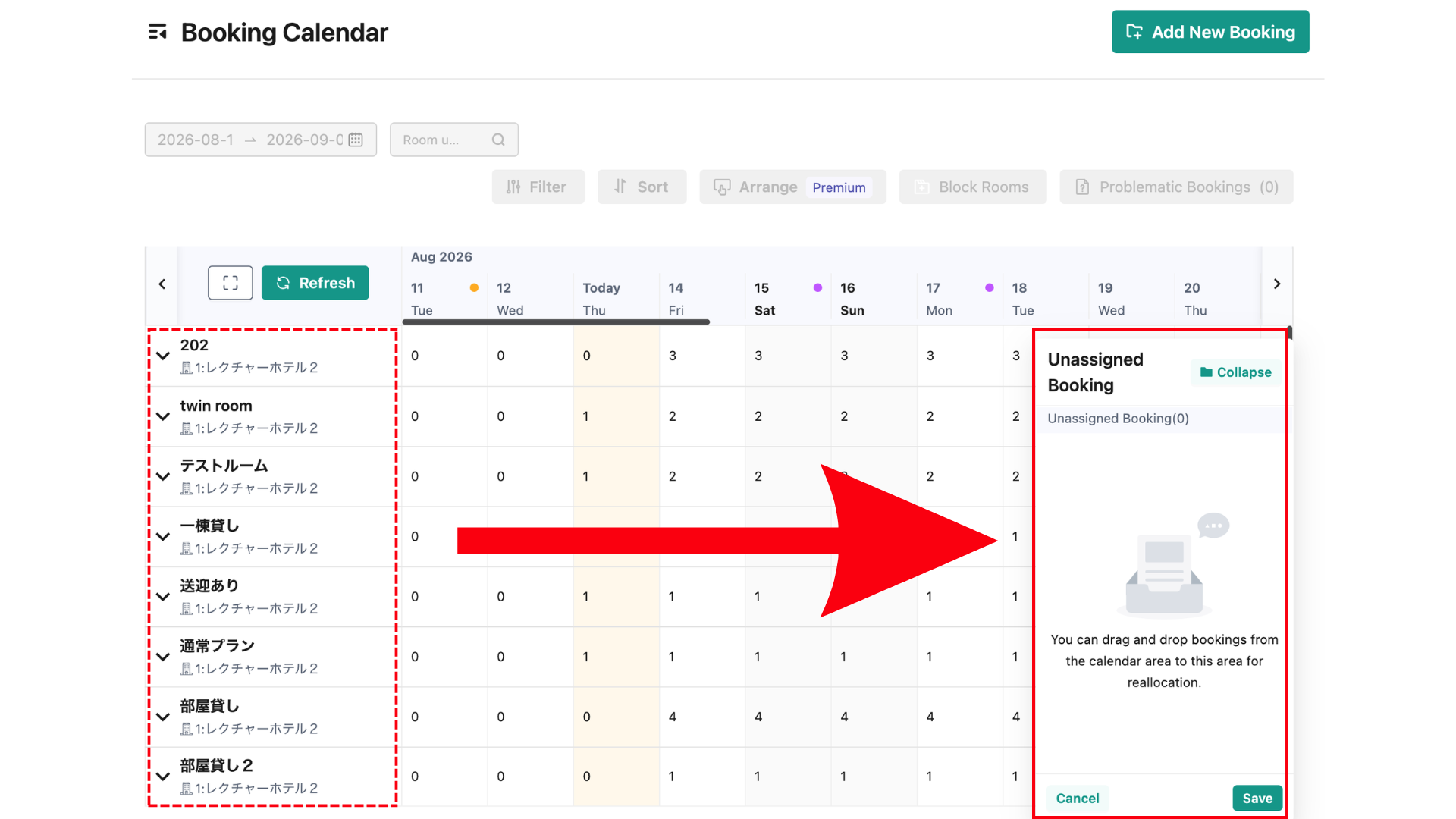
[Booking Calendar] "Arrange" function explanation
🔷🔷🔷🔷🔷🔷🔷🔷🔷🔷🔷🔷🔷🔷🔷🔷
【Property Settings】Multilingual Support for Instruction and Room Manuals
Instruction and Room Manual content can now be registered separately for each language, just like property names!
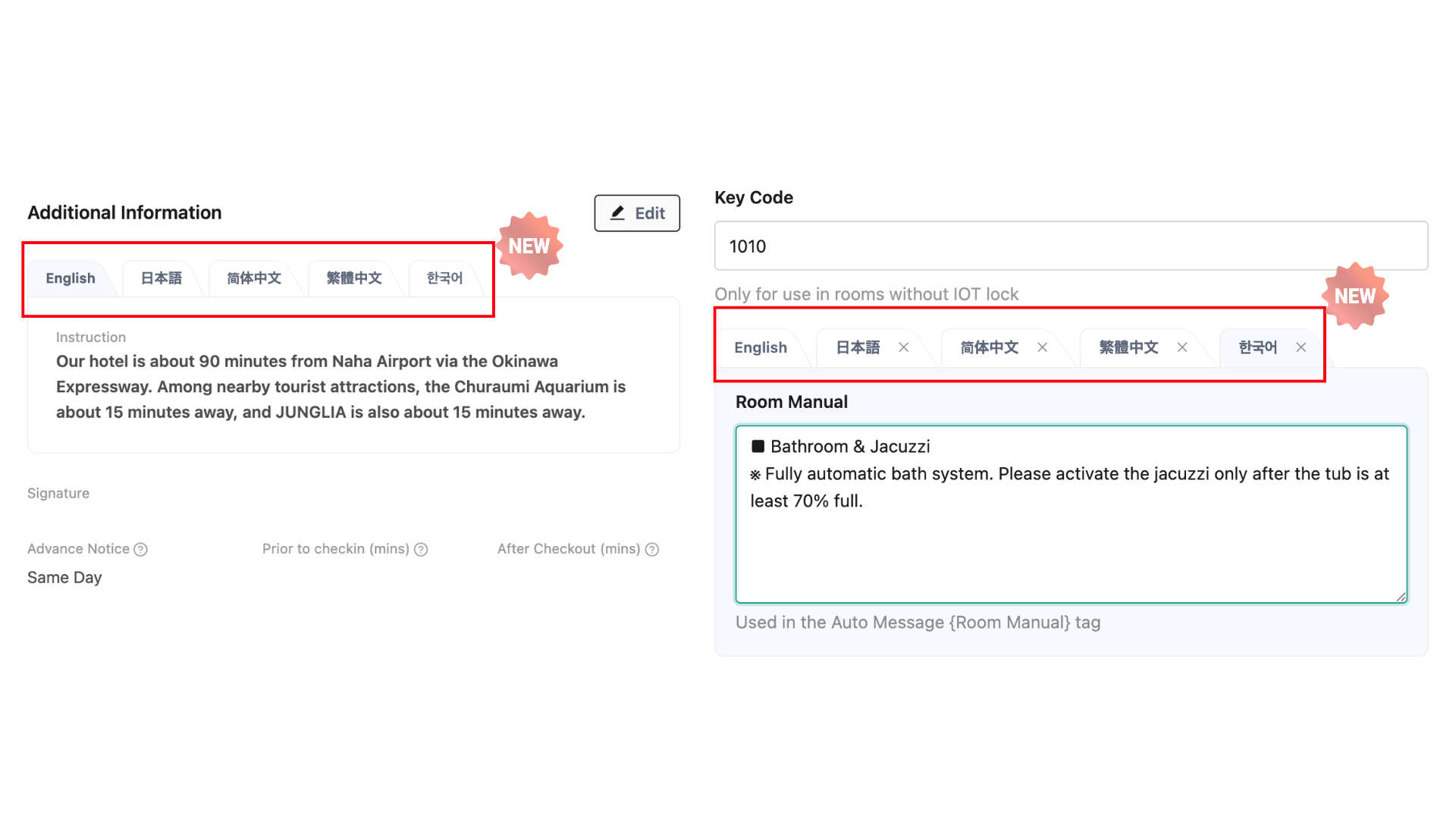
Previously, multilingual settings were not supported, so information in multiple languages, such as Japanese, English, Chinese, and Korean, had to be entered together in a single field.
With this update, content can be registered and managed separately for each language. Guests will see the content in their selected language, making the information easier to read and understand.
💡 About Existing Settings
Existing content has been migrated to English (default).
If you previously entered content in multiple languages within a single field, please reconfigure the content for each language as needed.
🔷🔷🔷🔷🔷🔷🔷🔷🔷🔷🔷🔷🔷🔷🔷🔷
【Checkin Management】Estimated Arrival Time Now Displayed
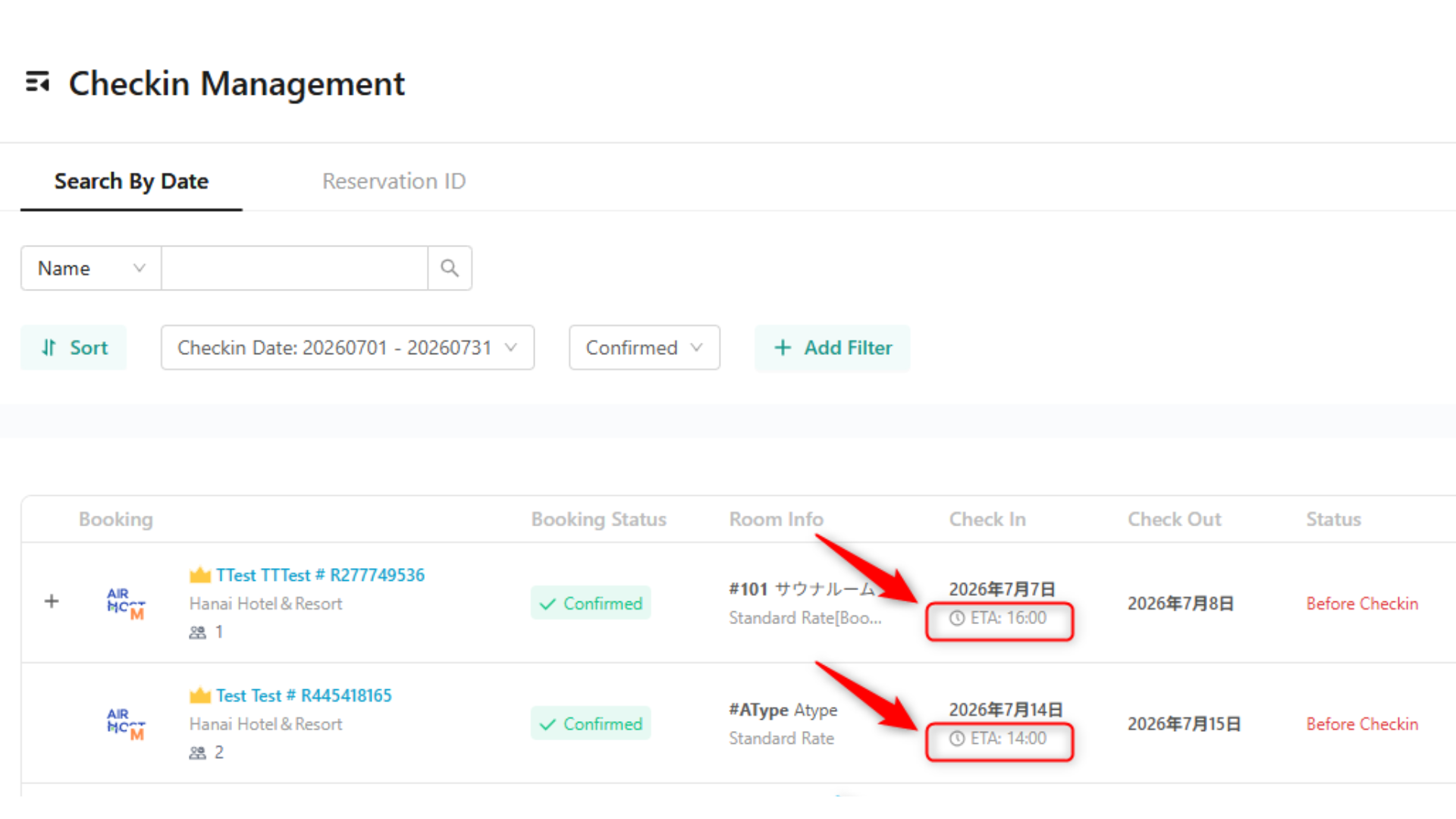
For Checkin Premium plans, the estimated arrival time collected during pre-checkin can now be displayed in the Checkin Management list.
You can now check guests’ estimated arrival times directly from the list, making it easier to prepare for arrivals and manage checkin operations on the day.
※ The estimated arrival time is displayed only when it has been collected during pre-checkin.
[Checkin] Confirm the Estimated Time of Arrival During Pre-check-in
🔷🔷🔷🔷🔷🔷🔷🔷🔷🔷🔷🔷🔷🔷🔷🔷
【Checkin Management】New “Guest Type” Filter Added
A new “Guest Type” filter has been added to Checkin Management!
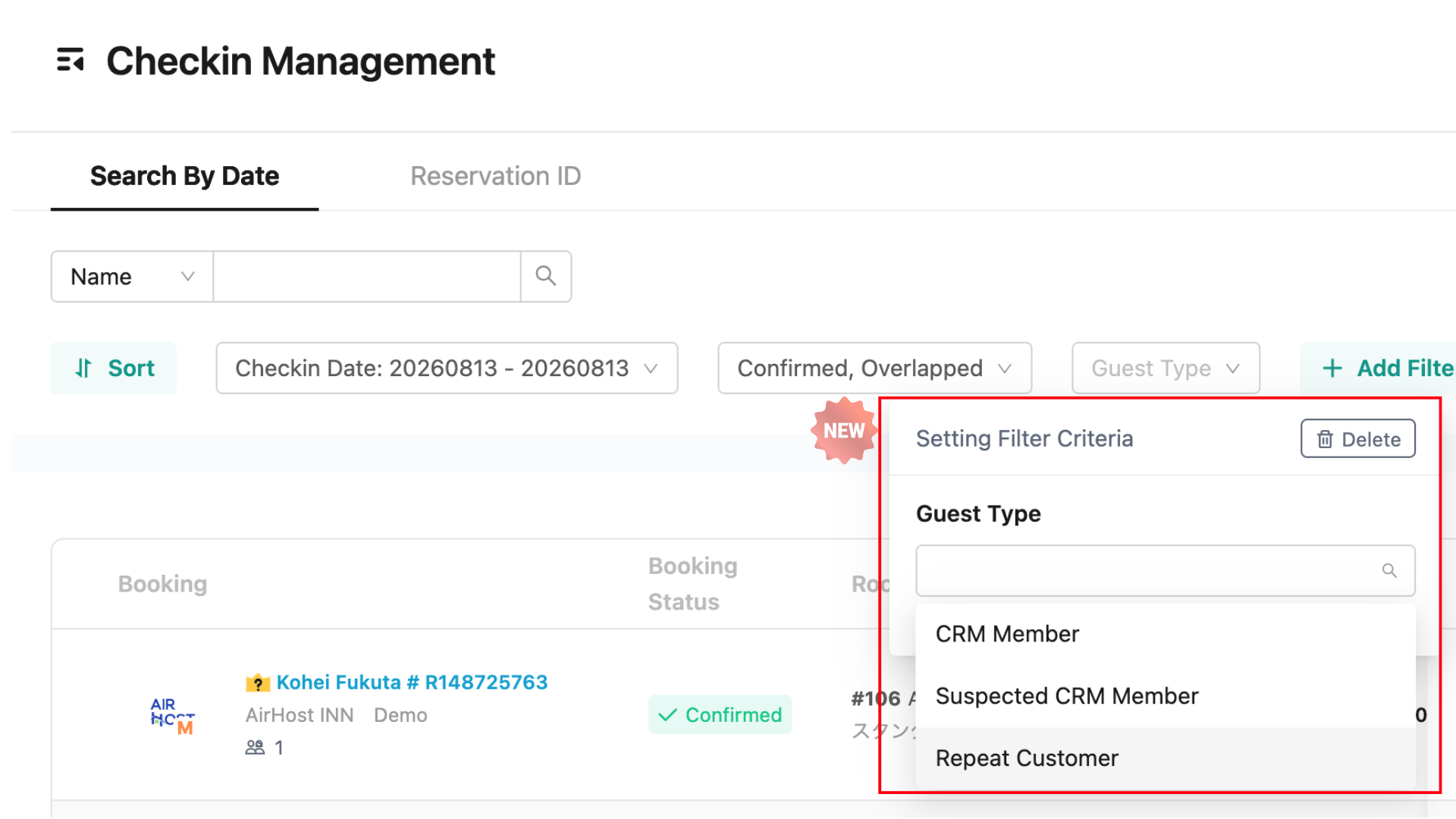
You can now filter reservations using the following three criteria:
CRM Member
Suspected CRM Member
Repeat Customer
For example, you can use this feature to:
Regularly review repeat guests and add them as CRM members
Check upcoming stays and visits by CRM members
This makes it easier to manage guest information and streamline your CRM operations.
[Reservation management] Checkin management
🔷🔷🔷🔷🔷🔷🔷🔷🔷🔷🔷🔷🔷🔷🔷🔷
【Checkin Management】View and Edit Cleaning Tasks from Reservation Details
You can now view and edit cleaning tasks for a reservation directly from the Reservation Details screen.
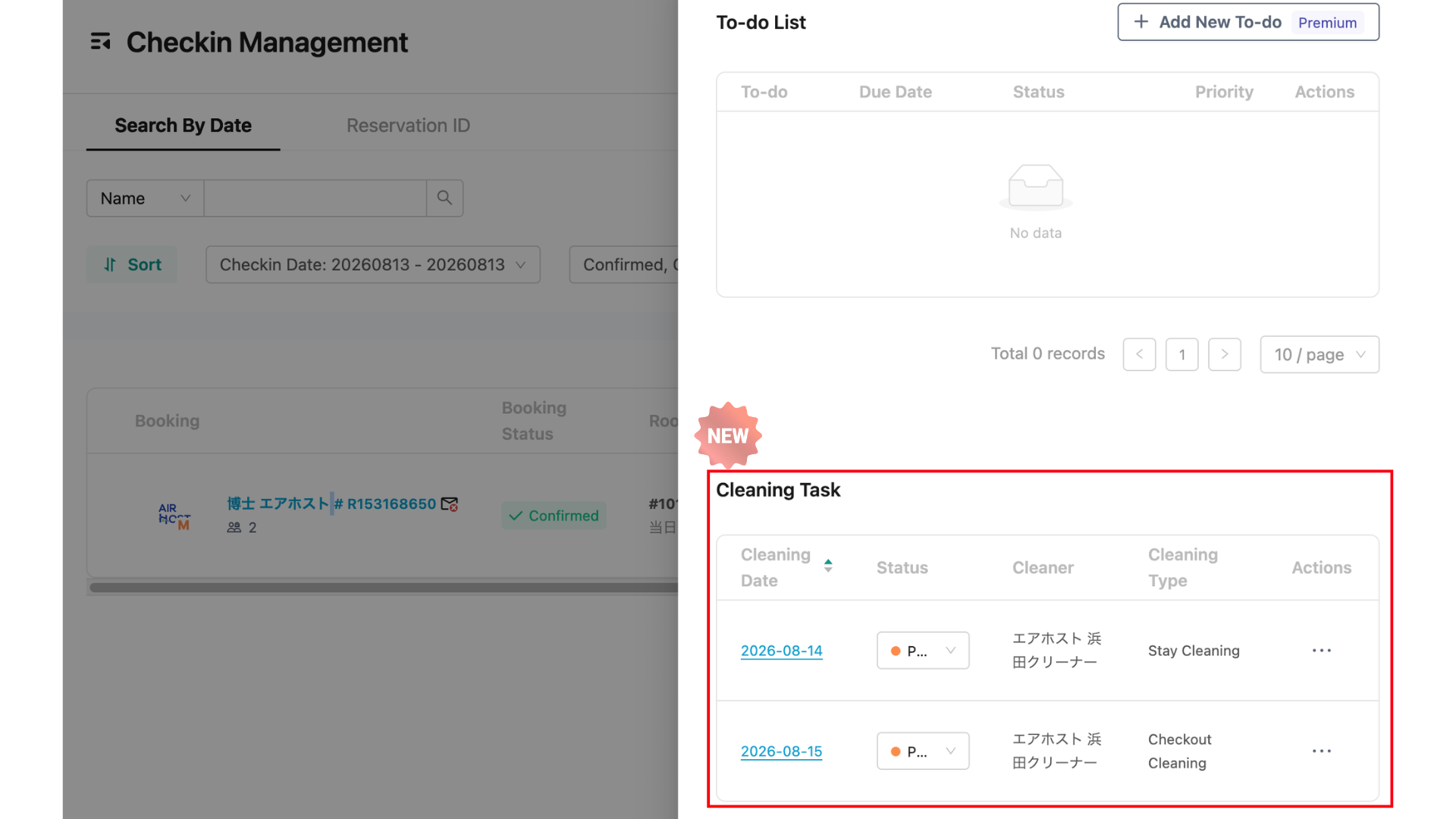
Previously, you had to navigate to the Cleaning Management screen to view or update cleaning tasks. Now, you can manage them directly from the Reservation Details screen.
For example, if you notice while reviewing a reservation that the guest will be using the BBQ grill, you can immediately add a note to the cleaning task, such as “Please clean the BBQ grill.”
This makes it easier to handle reservations and provide cleaning instructions without switching between screens!
[Reservation Management] Order Information
🔷🔷🔷🔷🔷🔷🔷🔷🔷🔷🔷🔷🔷🔷🔷🔷
【Room Settings】Symbols and Emojis Can Now Be Used in Key Code
For properties that do not use IoT locks, symbols and emojis can now be included in key code!
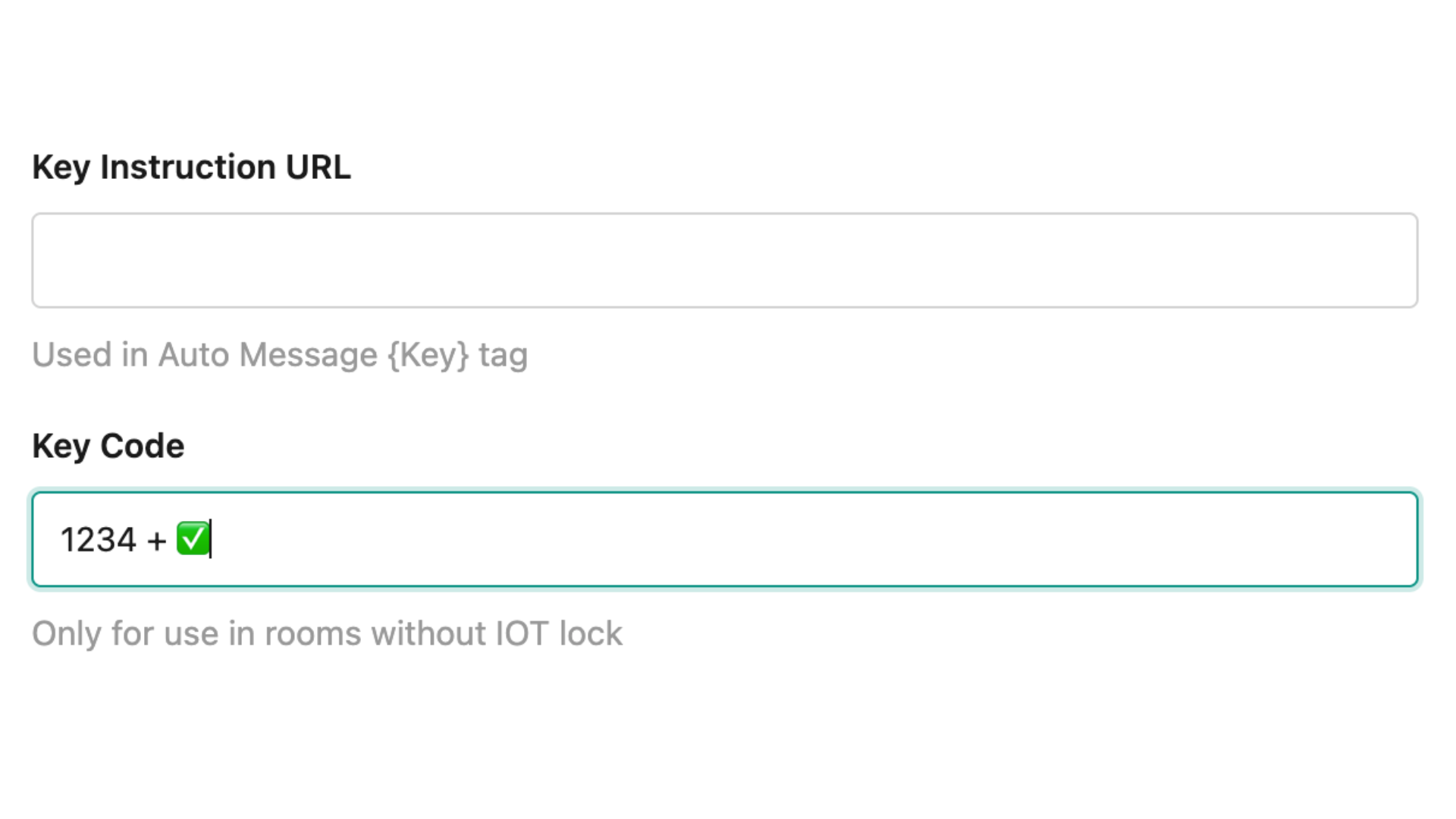
Previously, key code could only contain letters and numbers. With this update, you can now include symbols and additional instructions as part of the key code.
💡 Examples
1234 + ✅
1234 → OPEN
1234#
You can now provide clearer instructions directly within the key code, such as “Press OPEN at the end” or “Press #.”
Property Settings: Room Management (Room Type / Room Unit / Pre-order Management)
🔷🔷🔷🔷🔷🔷🔷🔷🔷🔷🔷🔷🔷🔷🔷🔷
【Messages】Private Notes Can Now Be Deleted
Private notes on the Messages screen can now be deleted when needed!
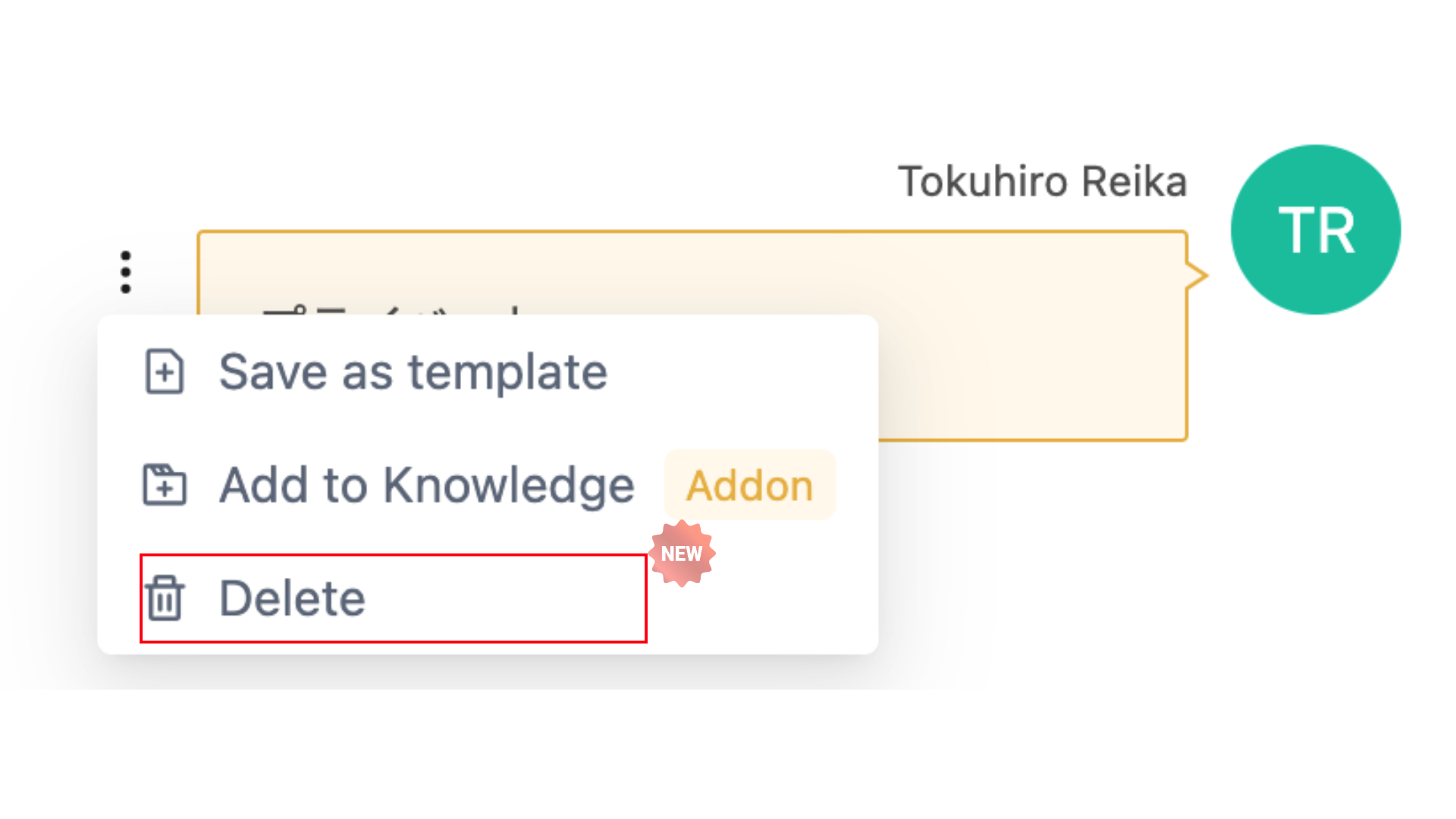
Previously, once a private note was posted, it remained in the conversation. With this update, you can now delete notes that are no longer needed or were posted by mistake.
※ Private notes are internal notes used for sharing information among staff and are not visible to guests.
[Message Management] Using Private Notes
🔷🔷🔷🔷🔷🔷🔷🔷🔷🔷🔷🔷🔷🔷🔷🔷
【Price Template】Improved Usability
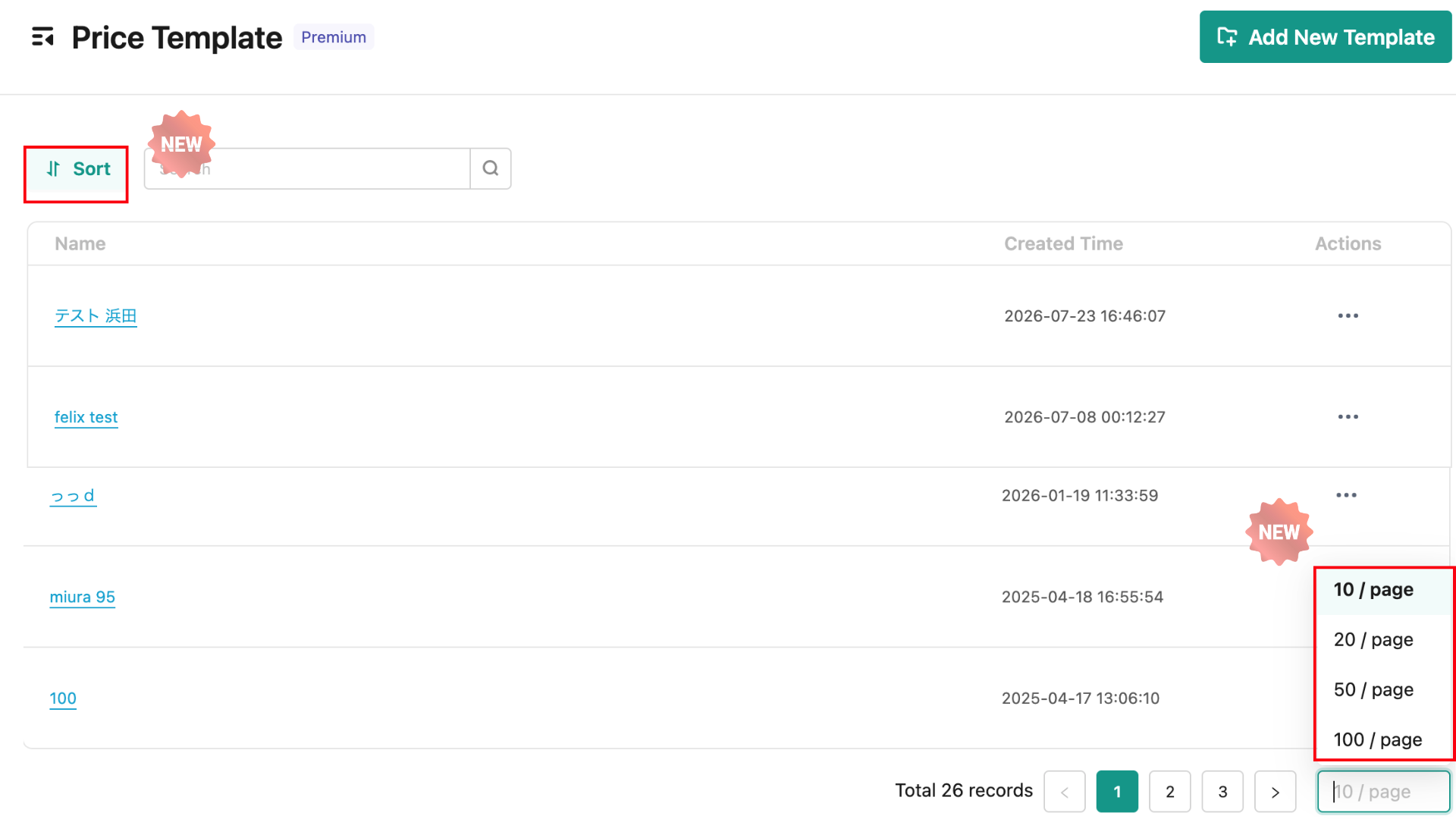
We’ve improved the usability of Price Templates, making it easier to find and edit the template you need.
The following features have been added in this update:
🔶 Change the Number of Items Displayed
As with Checkin Management, you can now change the number of templates displayed in the list. This reduces the need to move between pages when you want to view more templates at once.
🔶 New Sorting Options
You can now sort the list by creation date or name. You can also choose ascending or descending order, making it quicker to find the template you need.
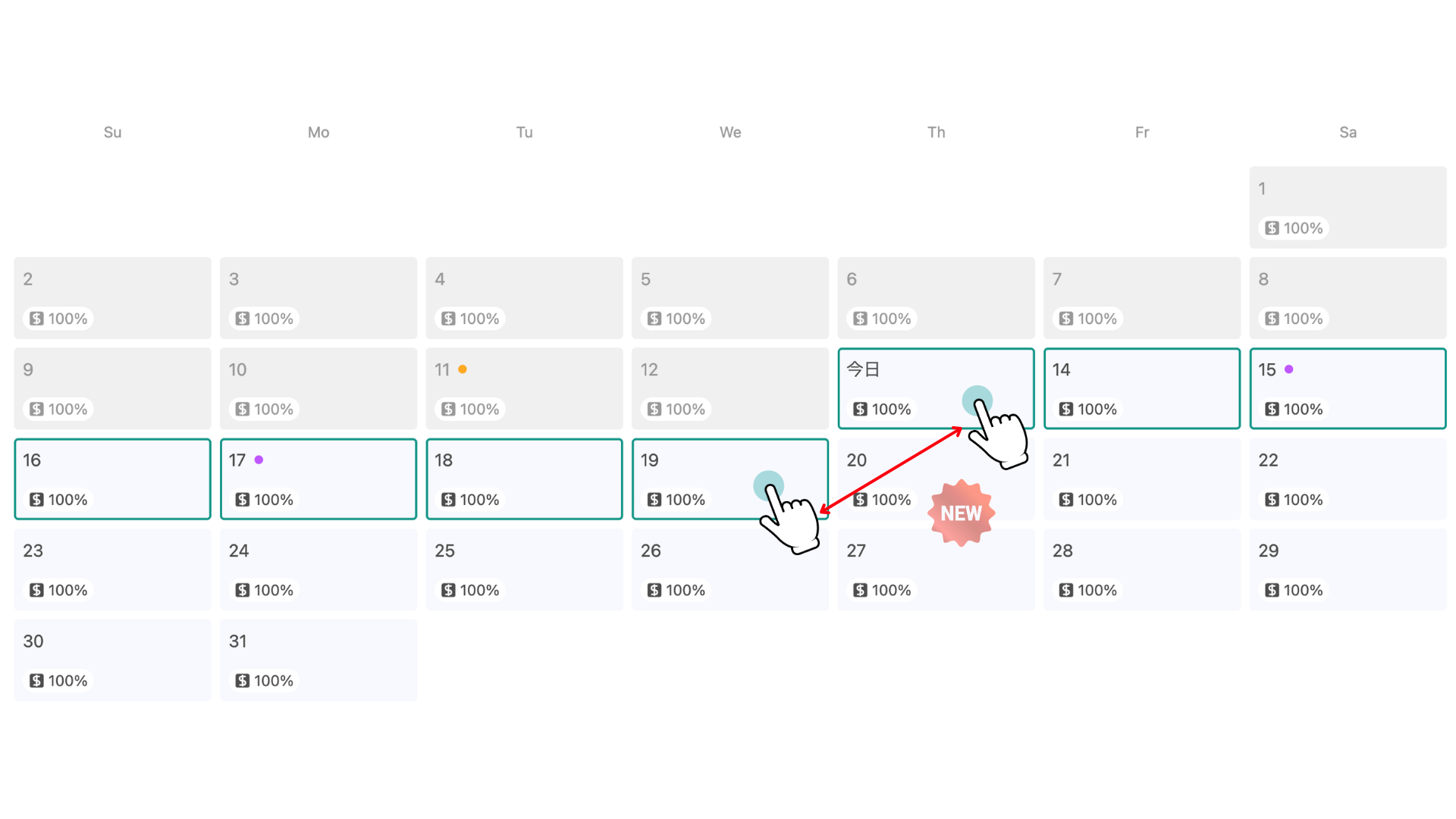
🔶 Select Multiple Dates by Dragging
You can now select multiple dates on the calendar at once by clicking and dragging across the desired date range.
[Pricing Management] How to Use Price Templates
🔷🔷🔷🔷🔷🔷🔷🔷🔷🔷🔷🔷🔷🔷🔷🔷
【Customise Menu】Many New Menu Icons Added!
We’ve added a wide variety of new icons that can be used in the Customise Menu!
💡The Customise Menu allows you to freely add links to property-specific information and services on the guest check-in screen.
Examples of Newly Added Icons
Floor Guide
Map
Rules
Sauna
Convenience Store
Amusement Park
AED
And many more!
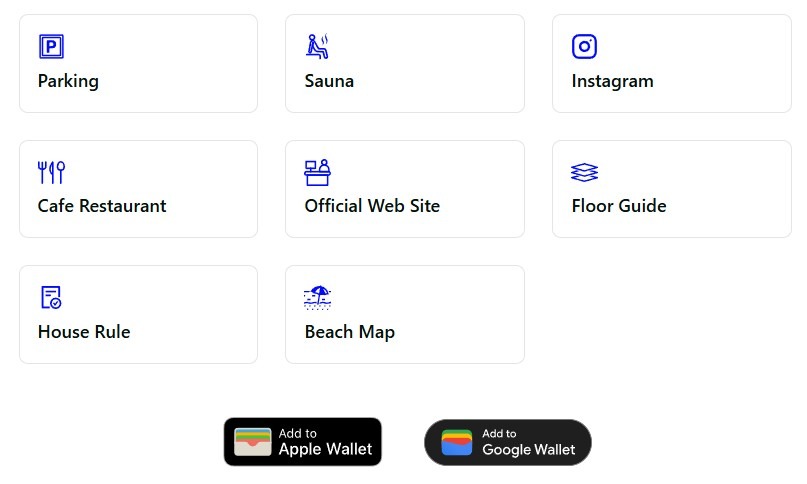
With more icons to choose from, you can now select icons that better match each menu item, making it easier for guests to find the information they need.
🔷🔷🔷🔷🔷🔷🔷🔷🔷🔷🔷🔷🔷🔷🔷🔷
【Invoices / Receipts】Email Sending History Now Available
You can now view the email sending history for invoices and receipts sent to guests.
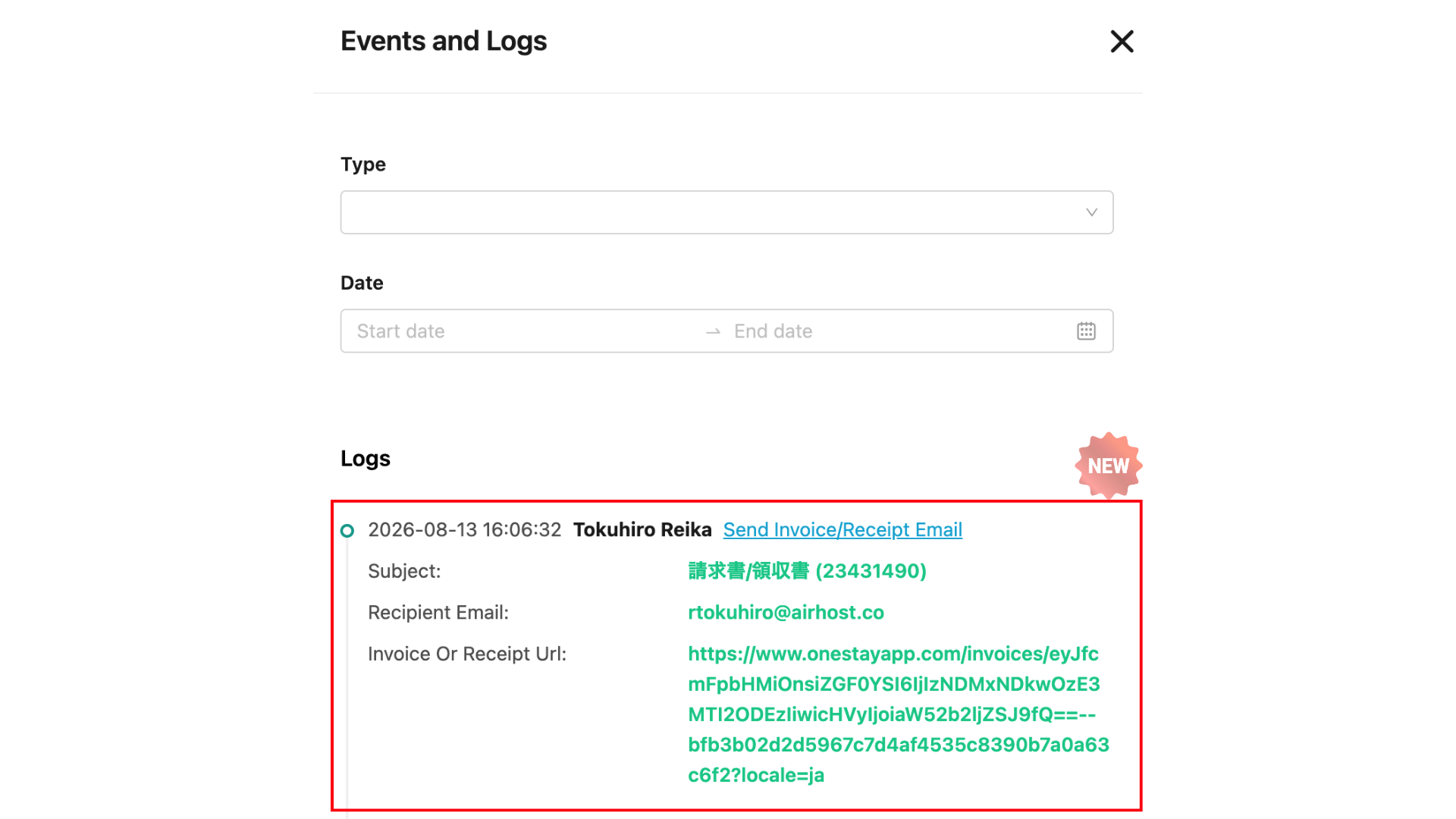
You can easily check the history whenever you want to confirm whether an email was successfully sent or when it was sent.
Invoices and receipts can be sent to guests by email directly from the Reservation Details screen.
[Receipt & Invoice Settings] Setting Up Guest Invoices and Receipts
🔷🔷🔷🔷🔷🔷🔷🔷🔷🔷🔷🔷🔷🔷🔷🔷
【One Staff】Push Notifications Added for ToDo Assignees
One Staff can now send push notifications to users assigned to ToDos!
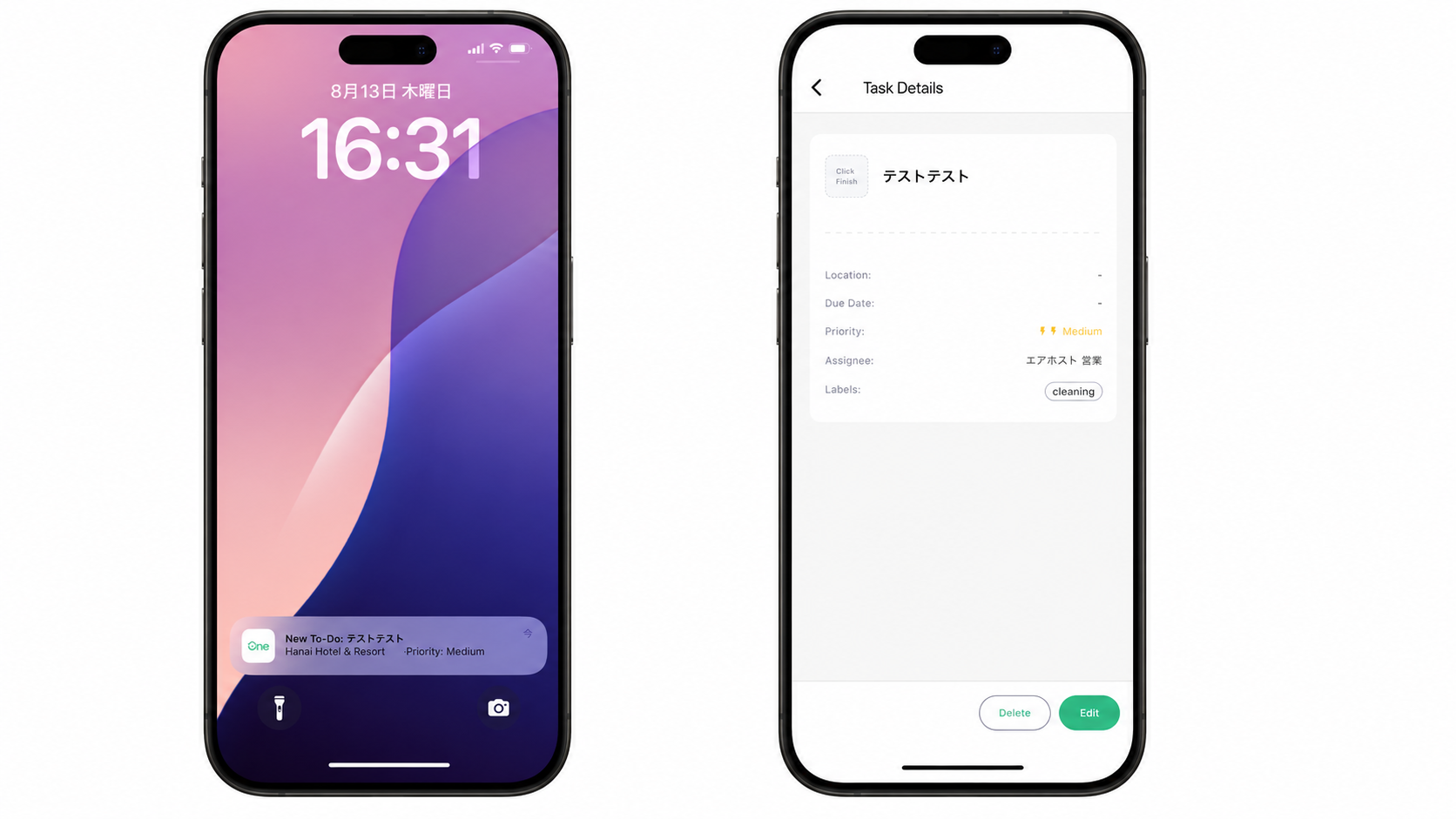
This makes it easier for assignees to notice new ToDos and tasks assigned to them, helping prevent missed tasks and improve coordination among staff.
Push Notifications for Assigned ToDo Tasks
🔷🔷🔷🔷🔷🔷🔷🔷🔷🔷🔷🔷🔷🔷🔷🔷
【One Staff】Enhanced Messaging Features

We’ve updated the messaging features in the One Staff app!
More features are now available in the app, just like on the web version, making it easier to communicate with guests and share information among staff even when you’re on the go.
Newly Available Features
🔶 View and Reply to Airbnb Reviews
🔶 Add Private Notes
🔶 Add ToDos
🔶 View Property Information
🔶 Archive Messages with a Swipe
With these updates, you can now handle a wider range of tasks directly from the One Staff app without having to open your PC.
Please update to the latest version of the app to take advantage of these new features!
[One Staff] Overview of the Mobile App and Download/Setup Instructions
🔷🔷🔷🔷🔷🔷🔷🔷🔷🔷🔷🔷🔷🔷🔷🔷
【Checkin Management】Improved Handling of Estimated Arrival Times from OTAs
Previously, estimated arrival times received from OTAs were automatically applied as check-in times.
With this update, estimated arrival times are now saved as guest comments and are no longer used to determine check-in availability or control IoT locks.
This allows self-check-in and IoT locks to operate according to the check-in times set by the property.
🔷🔷🔷🔷🔷🔷🔷🔷🔷🔷🔷🔷🔷🔷🔷🔷
That’s all for the latest AirHost updates for August 2026! 😉
We’re right in the middle of the summer travel season, and we know this is a busy time for many of you welcoming guests.
AirHost will continue improving our services to make them even easier to use and help reduce your day-to-day workload as much as possible.
With the hot weather continuing, please take good care of yourselves. 🍀
Thank you for your continued support of AirHost!